Bohemian Invitation Suite Mockup Cards: A Designer’s Essential Toolkit
When it comes to presenting your creative work, especially in the realm of event design or branding materials, first impressions matter. The Bohemian Invitation Suite Mockup Cards offer a unique and stylish way to showcase your invitations, greeting cards, and other printed designs in a digital format that feels tangible and real. These mockups are ideal for designers who want to present their ideas with flair and professionalism without the hassle of printing physical samples. Whether you're working on a wedding invitation suite, a boutique launch, or a personalized greeting card, having the right mockup can make all the difference.
Why Choose Bohemian Invitation Suite Mockup Cards?
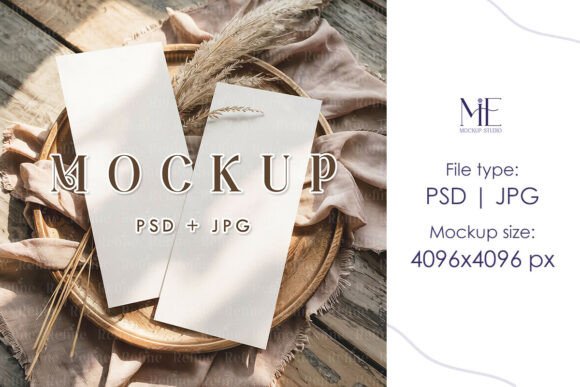
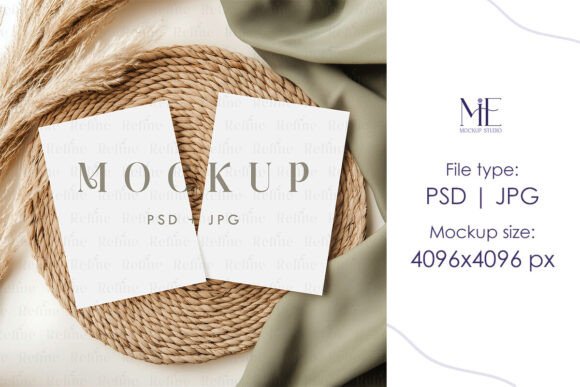
The term “Bohemian” is often associated with free-spirited, artistic, and unconventional aesthetics. This philosophy translates beautifully into the Bohemian Invitation Suite Mockup Cards, which blend rustic textures, soft pastel tones, and intricate patterns to create a warm and inviting look. These mockups aren't just about visual appeal—they’re designed to reflect the personality and vibe of your project. For those aiming to capture a laid-back, boho-chic style, these templates provide the perfect backdrop to highlight your creativity.
One of the standout features of this mockup set is its versatility. You can use it across multiple platforms and projects. From print to digital, from social media presentations to client proposals, the Bohemian theme complements a wide range of design styles. It's not limited to one occasion; instead, it adapts to different needs while maintaining a cohesive and elegant appearance.
What’s Included in the Mockup Set
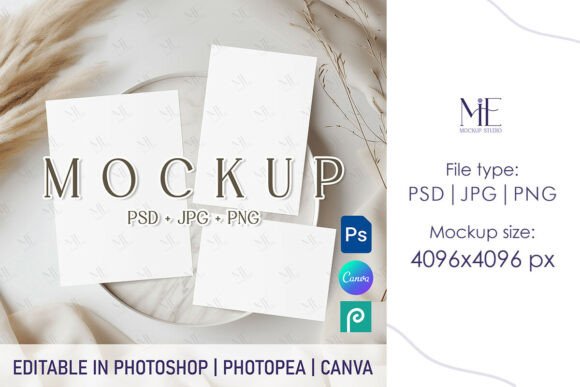
- 1 PSD file with fully editable Smart Object layers—this means you can easily insert your own designs without needing advanced Photoshop skills.
- 1 high-resolution JPG file (4096x4096) for top-notch quality when sharing or printing.
- 1 high-resolution PNG file (4096x4096) for transparency and seamless integration with online tools like Canva.
Each file is crafted to give you maximum flexibility. With Smart Objects, you can add logos, text, illustrations, or any design element quickly and efficiently. And because both the JPG and PNG files are available, you can choose the best format depending on your platform or presentation method.
Perfect Dimensions for Realistic Presentation
The Bohemian Invitation Suite Mockup is designed with standard card sizes in mind. Specifically, it supports 5x7 and 4x6 inches formats, making it an excellent fit for most printed invitations and stationery. The accurate sizing ensures that your designs appear lifelike when placed in the mockup, giving potential clients or customers a clear idea of how they’ll look in reality.
Designing for events or personal use requires attention to detail, and using the correct dimensions is crucial. These mockups eliminate guesswork by providing a realistic canvas that mirrors common paper stock sizes. As a result, you can confidently show off your creations knowing they’ll align perfectly with industry standards.
How to Use Your Digital Mockup Files
- After purchasing, download the files instantly—no waiting, no shipping delays.
- Open the PSD file in Adobe Photoshop. If you're new to Photoshop, don’t worry—the process is straightforward.
- Locate the Smart Object layer. Simply double-click it to open a new tab where you can edit your design.
- Add your artwork, text, or images. Save the changes, and watch them appear seamlessly in the mockup.
- Once your design is embedded, save the final image as a JPG or PNG to share with clients or post online.
This step-by-step approach allows even beginners to produce professional-looking mockups in minutes. The ease of editing ensures you spend less time learning software tricks and more time refining your design.
Styling Tips for Creating Stunning Designs
To get the most out of your Bohemian Invitation Suite Mockup Cards, consider the following styling tips:
- Use earthy color palettes such as muted greens, warm browns, and soft pinks to match the Bohemian aesthetic.
- Incorporate natural elements like floral prints, feathers, or wooden textures to enhance the theme.
- Keep typography simple and elegant. Handwritten or serif fonts tend to work well in a Bohemian setting.
- Experiment with layered effects and subtle shadows to add depth and dimension to your design.
These suggestions aren't mandatory but serve as helpful guidelines if you want your design to truly resonate with the mockup’s artistic vibe. Remember, the goal is to create a harmonious balance between your content and the background elements so your design stands out naturally.
Working with the Minimalist 5x7 4x6 RSVP Canva Template
If you prefer a cleaner and more modern take, the Minimalist 5x7 4x6 RSVP Canva Template included in the suite is perfect for minimalist designers or those targeting a contemporary audience. Canva makes it easy to drag and drop your content, adjust colors, and preview your design before exporting it to the mockup.
Here’s how to integrate your Canva design into the mockup:
- Create your design in Canva using the provided template size.
- Export your design as a PNG file with transparent background if possible.
- Import the exported image into the Smart Object layer within the PSD file.
- Adjust the positioning and scaling as needed to ensure a clean and centered layout.
- Save your final mockup and use it to present your design in a professional manner.
This workflow is efficient and accessible, allowing even non-technical users to create beautiful mockups with minimal effort.
Practical Benefits of Using Digital Mockups
Digital mockups have become a staple in modern design workflows for several reasons:
- Cost-effective: No need to print multiple versions for client reviews or portfolio updates.
- Time-saving: Instant downloads and quick edits mean faster turnaround times.
- Client-friendly: Realistic visuals help clients understand how the final product will look and feel.
- Portfolio-ready: High-quality images can be used directly in your online portfolio or social media showcases.
For small businesses or freelancers, these advantages can streamline operations and improve communication with stakeholders. Instead of relying on imagination or rough sketches, you can present polished mockups that reflect your brand’s identity and values.
Considerations Before Choosing a Mockup Template
Before investing in a mockup like the Bohemian Invitation Suite Mockup Cards, there are a few factors worth considering:
- Do you need support for multiple card sizes? This mockup works well for 5x7 and 4x6 inch cards, but check if your project requires others.
- Will you be using Photoshop or another tool? The Smart Object feature is exclusive to Photoshop, but the PNG version gives you options for Canva or other editors.
- Are you looking for a specific style? The Bohemian theme may not suit every project, so assess whether it aligns with your target audience or event vibe.
- Do you require additional customization options? Some mockups allow for more than just inserting a flat design—check what layers or adjustments are available.
Evaluating these points helps ensure you select the right mockup for your needs. The key is to find a template that enhances your design rather than competes with it.
Real-World Applications of the Bohemian Invitation Suite Mockup
Let’s explore some practical scenarios where these mockups shine:
- Wedding Invitations: The Bohemian style is popular for rustic or outdoor weddings. Presenting your design in this mockup adds authenticity and charm.
- Boutique Launches: Small businesses launching new products can use these mockups to advertise invitations or packaging in a visually appealing way.
- Personalized Greeting Cards: Artists selling custom greeting cards benefit from mockups that highlight the craftsmanship and individuality of each piece.
- Stationery Design: Whether creating thank-you notes, birthday cards, or business correspondence, the Bohemian suite offers a timeless yet trendy look.
By tailoring your message to fit the mockup’s style, you can better connect with your audience and reinforce your brand’s identity. These templates are not just for showing off—they’re tools for storytelling and engagement.
Integrating Mockups Into Modern Workflows
In today’s fast-paced creative landscape, efficiency is everything. The Bohemian Invitation Suite Mockup fits seamlessly into modern design workflows by supporting both traditional and digital tools. Here’s how it integrates:
- Photoshop: Ideal for advanced users who want full control over layering and effects.
- Canva: Great for those who prefer a user-friendly interface with drag-and-drop simplicity.
- Social Media: The high-res JPG and PNG files are optimized for Instagram, Pinterest, Facebook, and other platforms.
- Email Campaigns: Showcase your designs in newsletters or promotional emails with crisp, clear images.
This adaptability makes the mockup a valuable asset for designers of all skill levels. Whether you're producing content for a client or marketing your own brand, having a flexible and high-quality mockup is essential.
Getting Started with Your Bohemian Invitation Suite Mockup
Using the Bohemian Invitation Suite Mockup Cards couldn’t be simpler. Once you’ve downloaded the files, open the PSD in Photoshop and follow the steps outlined earlier. The Smart Object layer acts like a placeholder, letting you insert your design with ease. After saving, you’ll see your artwork come to life against a beautifully styled backdrop.
If you’re using Canva, export your design at the correct resolution and import it into the PNG version of the mockup. Adjust the alignment and scale, then render the final image for use in your projects. This dual compatibility ensures that no matter your preferred design tool, you can leverage the power of mockups effectively.
Final Thoughts on Enhancing Your Designs
Mockups are more than just pretty pictures—they’re strategic tools that help you sell your designs, communicate your vision, and build trust with your audience. The Bohemian Invitation Suite Mockup Cards stand out for their thoughtful design, ease of use, and ability to adapt to various creative needs.
Whether you're a seasoned designer or just starting out, these templates empower you to present your work with confidence and clarity. By choosing a mockup that reflects your style and meets your technical requirements, you elevate your design process and deliver results that impress.
Ready to bring your next project to life? Explore the Bohemian Invitation Suite Mockup Cards and start creating stunning visuals today.